
Transact is the latest transaction management system from Lone Wolf Technologies, the parent company of zipForm and TransactionDesk.
It is a client-focused transaction management system. Transact attaches every document and detail to your client, not the property. This creates a single, adaptable workspace that moves with your client from one offer to the next, reducing duplication and keeping deals on track.
The agent version of Transact, along with zipForm, will remain a member benefit of Texas REALTORS®.
All zipForm and TransactionDesk users logging into their account will encounter a one-time pop-up window similar to this one:
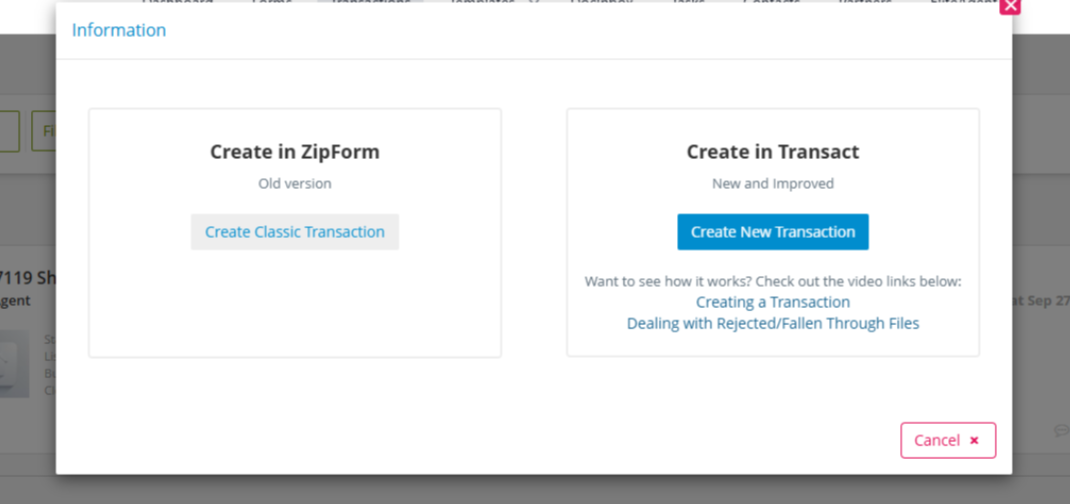
If you want to stay in zipForm/TransactionDesk and not try Transact, you can exit out of the pop-up window by clicking the “X” icon in the top-right corner and proceed without interruption in your zipForm/TransactionDesk account.
How to start Transact:
- Log into your zipForm/TransactionDesk account.
- In the pop-up window, click “Create New Transaction” button
- On your first use of Transact, you will be asked to create a Lone Wolf account. This is a one-time process linking your legacy zipForm/TransactionDesk account to your Transact account and will give you the ability to navigate back and forth between them. (The login process will revert back to single sign-on after completing this step.)
- Once your Lone Wolf account is created, you will be all set! You will have access to the Transact dashboard and be able to toggle between it and your zipForm/TransactionDesk account if you wish to work in your other transaction management system.
If you wish to try Transact at a later date, you can find walkthrough videos for zipForm users and TransactionDesk users on getting started.
If you have any issues with zipForm, TransactionDesk, or Transact, reach out to Lone Wolf’s support team 24/7, 365 days of the year. You can reach support at support@lonewolf.com, message the in-app chat, call 866-279-9653,or visit their community support page.